Как купитьСкидки клиентамПоддержка
EmpireX logo
Empire X
Empire X logo
Empire X
⌘K
ГлавнаяАккаунтыУслугиАкцииБлог
EmpireX logo
EmpireX

Надёжная платформа для покупки премиум-аккаунтов, ключей ПО и онлайн-сервисов.

Email:contact@empirex.org
Горячая линия : +84 839.8888.23 (Горячая линия : )
WhatsApp:+84 839.8888.23 (WhatsApp)
DMCA.com Protection Status

Продукты

  • Аккаунты
  • Услуги
  • Инструменты
  • Бесплатные аккаунты
  • Отследить заказ

Информация

  • О нас
  • Как купить
  • Партнёрская программа
  • Условия использования
  • Политика конфиденциальности
  • Авторские права и DMCA
  • Официальные каналы

Способы оплаты

Международные:
BitcoinEthereumUSDT
Tiếng ViệtEnglishالعربيةFrançaisไทยРусскийBahasa IndonesiaPortuguês简体中文

© 2020-2026 EmpireX. Все права защищены.

Искусственный интеллект•4 мин чтения

Gemini Skills Explained: How to Create, Use and Migrate from Gems

Главное из статьи

Learn how Gemini Skills work, how to create and invoke them, how Gems transition, and practical reusable AI workflows.

EX
Admin EmpireX
27 ноября 2026 г.
Gemini Skills Explained: How to Create, Use and Migrate from Gems
Темы:#Навыки Gemini#AI#Google AI Pro
EX
Проверено редакцией EmpireX

Подготовлено и регулярно проверяется специалистами EmpireX на практическую точность.

О насПравила и контактыАккаунты

Содержание

Рекомендуемые товары

Gemini Plus - Обновление личного аккаунта — изображение товара в EmpireX
Нет в наличии
-67%

Gemini Plus - Обновление личного аккаунта

$11.50$35.00

Похожие статьи

Что такое Muse AI? Персональный ИИ-агент Meta
Искусственный интеллект

Что такое Muse AI? Персональный ИИ-агент Meta

4 мин чтения

Как работает Muse AI, для каких задач подходит и какие ограничения имеет.

EX
Admin EmpireX
Читать
Что такое Gemini Computer Use для Mac: настройка, риски и доступность
Искусственный интеллект

Что такое Gemini Computer Use для Mac: настройка, риски и доступность

11 мин чтения

Разбор Gemini Computer Use на macOS (19 ноября 2026): как @Computer use работает в изолированном виртуальном окне, требования Apple Silicon и Sequoia 15+, резервные копии на 24 часа и 7 рисков безопасности.

EX
Admin EmpireX
Читать
Что такое Gemini Tasks: как настроить задачи, расписания и лимиты
Искусственный интеллект

Что такое Gemini Tasks: как настроить задачи, расписания и лимиты

9 мин чтения

Разбор Gemini Tasks: связка Task–Schedule–Skill, режимы браузера, лимиты 10 и 50 расписаний, региональный доступ и отличия от Scheduled Actions и Google Tasks.

EX
Admin EmpireX
Читать
Google Genie 4: интерактивные миры, функции и доступ
Искусственный интеллект

Google Genie 4: интерактивные миры, функции и доступ

7 мин чтения

Что такое Genie 4: генерация интерактивных миров 720p со звуком, сравнение с Genie 3, Google AI Ultra и доступ через API.

EX
Admin EmpireX
Читать
EmpireX logo
EmpireX

Надёжная платформа для покупки премиум-аккаунтов, ключей ПО и онлайн-сервисов.

Email:contact@empirex.org
Горячая линия : +84 839.8888.23 (Горячая линия : )
WhatsApp:+84 839.8888.23 (WhatsApp)
DMCA.com Protection Status

Продукты

  • Аккаунты
  • Услуги
  • Инструменты
  • Бесплатные аккаунты
  • Отследить заказ

Информация

  • О нас
  • Как купить
  • Партнёрская программа
  • Условия использования
  • Политика конфиденциальности
  • Авторские права и DMCA
  • Официальные каналы

Способы оплаты

Международные:
BitcoinEthereumUSDT
Tiếng ViệtEnglishالعربيةFrançaisไทยРусскийBahasa IndonesiaPortuguês简体中文

© 2020-2026 EmpireX. Все права защищены.

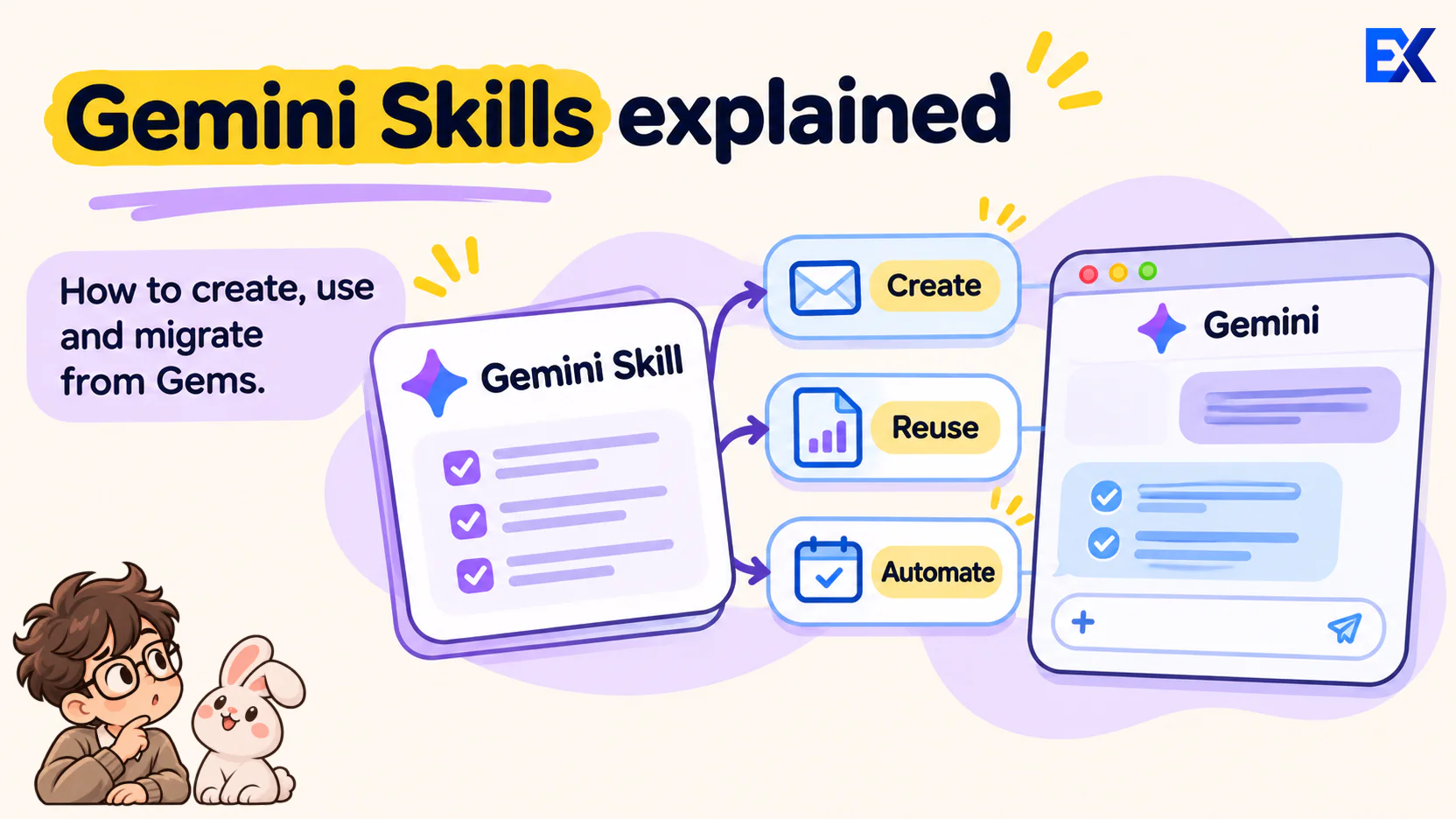
Gemini Skills lets you save reusable instructions for recurring tasks in the Gemini app. Instead of repeatedly writing the same prompt for email drafting, document analysis or planning, you can create a Skill and invoke it again. Google began transitioning personal-account Gems to Skills in November 2026; rollout and availability differ across account types.

What are Gemini Skills?

Illustration: what Gemini Skills are

A Skill packages reusable guidance for a specific workflow. For instance, a blog-editor Skill can specify the audience, outline, source checks and draft format. It is not a new AI model and outputs still need review.

Gemini Skills vs Gems

Gemini Skills versus Gems

Gems offered customized Gemini assistants. Skills focus on reusable instructions and workflows directly in Gemini conversations and, where supported, Workspace. Google is migrating Gems in stages. Review important Gems before deleting them, and consult Google's official migration instructions.

AreaGemsSkills
Main useCustomized assistantsReusable workflows
AccessOpen a created GemInvoke a Skill in supported chat interfaces
StatusBeing transitionedNewer workflow

How to create a Gemini Skill

Five steps to create a Gemini Skill
  1. Open Gemini and sign in on a supported platform.
  2. Find Skills, then select a starter template, Gemini-assisted creation or a blank Skill, if available.
  3. Give it a task-specific name.
  4. Describe input, workflow, output format and what it must not assume.
  5. Save and test it with a few different inputs.

Menu names and access may change during rollout. Official guide: https://support.google.com/gemini/answer/17094296

Example: a blog editing Skill

Name: Blog editing assistant.

Instructions: Identify the audience and search intent; create a logical outline; cite reliable sources; clearly label illustrative examples; suggest one visual for each main section; never invent prices, tests or citations. Output a title, excerpt, outline, draft, image plan and fact-check checklist.

This is an illustrative template, not a Skill already installed in your account.

How to invoke Skills

Google documents direct invocation using / and is introducing @ in some contexts. Supported Workspace environments may also recognize relevant Skills automatically. Do not assume all accounts and apps have identical access. Start with a small task and check the result.

Five practical workflows

Five practical uses of Gemini Skills

1. Consistent email drafting

Specify tone, required facts and closing format. Always verify recipients and private data.

2. Meeting and document summaries

Separate confirmed decisions, action items, owners and deadlines. Avoid invented dates.

3. SEO and content production

Standardize briefs, outlines, source checks and visual plans, without promising rankings.

4. Data analysis

Set validation checks, calculations and presentation rules. Do not fabricate results.

5. Customer support

Specify tone, clarification questions and when to escalate to a human. Do not authorize refunds or account actions without proper system permissions.

Gemini app Skills vs Gemini CLI Agent Skills

Gemini app Skills compared with Gemini CLI Agent Skills

Both reuse instructions, but they target different environments. Gemini app Skills support conversational and Workspace workflows. Gemini CLI Agent Skills are developer-oriented packages using SKILL.md and optional scripts or resources. Installing one in Gemini CLI does not automatically install it in the Gemini app. See https://geminicli.com/docs/cli/skills/

Privacy and reliability

Do not embed credentials or sensitive customer information in Skills. Review shared instructions and attached resources. Access, limits and features are subject to Google's account and rollout policies. Human review remains important for consequential workflows.

FAQ

Are Gemini Skills free?

Availability depends on account type, platform and rollout. Check the Skills interface for your account.

Can Gems be migrated?

Google has a phased transition. Follow the official migration instructions and check converted content.

Will Skills execute actions automatically?

Skills provide reusable guidance; actions still depend on authorized tools and the host application's capabilities.

Are Skills just saved prompts?

They are reusable instructions organized for consistent execution of workflows, often with richer context than an ad hoc prompt.

Conclusion

Gemini Skills can turn repeated prompts into consistent AI workflows. Start with a common task, write clear inputs and outputs, test, and refine.

Official references: Google blog · Gems transition · Manage Skills · Gemini CLI Agent Skills.