How to buyCustomer offersContact support
EmpireX logo
Empire X
Empire X logo
Empire X
⌘K
HomeAccountsServicesPromotionsBlog
EmpireX logo
EmpireX

Reputable platform for selling premium accounts and online services.

Email:contact@empirex.org
Hotline : +84 839.8888.23 (Hotline : )
WhatsApp:+84 839.8888.23 (WhatsApp)
DMCA.com Protection Status

Products

  • Accounts
  • Services
  • Tools
  • Free Accounts
  • Track Order

Information

  • About Us
  • How to buy
  • Affiliate Program
  • Terms of Service
  • Privacy Policy
  • Copyright & DMCA
  • Official channels

Payment Methods

International:
BitcoinEthereumUSDT
Tiếng ViệtEnglishالعربيةFrançaisไทยРусскийBahasa IndonesiaPortuguês简体中文

© 2020-2026 EmpireX. All rights reserved.

Technology•3 min read

Google One Family Sharing Benefits Lost: 6 Causes and Fixes

Key Takeaways

Lost Google One Family storage or benefits? Diagnose the manager's plan, membership, sharing settings and correct restoration steps.

EX
Admin EmpireX
November 25, 2026
Google One Family Sharing Benefits Lost: 6 Causes and Fixes
Topics:#AI#Google Ultra
EX
Reviewed by EmpireX Editorial Team

Written and periodically verified by EmpireX specialists for practical accuracy.

About UsPolicies & ContactAccounts

Table of Contents

Related Products

Google One 5TB ( Drive & AI ) - Official Personal Upgrade product image at EmpireX
-74%

Google One 5TB ( Drive & AI ) - Official Personal Upgrade

$5.50$21.35
Google Drive 5TB - Official Personal Upgrade product image at EmpireX
-43%

Google Drive 5TB - Official Personal Upgrade

$5.50$9.62

Related Posts

Google Drive 2TB, 5TB, 20TB or 30TB: Which Storage Tier?
Technology

Google Drive 2TB, 5TB, 20TB or 30TB: Which Storage Tier?

2 min read

Choose between Google Drive 2TB, 5TB, 20TB and 30TB for photos, videos, backup, Family sharing and storage growth.

EX
Admin EmpireX
Read Now
CapCut Pro or Canva Pro: Which Fits Your Work?
Technology

CapCut Pro or Canva Pro: Which Fits Your Work?

3 min read

CapCut Pro vs Canva Pro for video editing, design, AI, marketing and real workflows—with a practical buying checklist.

EX
Admin EmpireX
Read Now
Google Family: 7 Reasons You Cannot Join or Switch Groups
Technology

Google Family: 7 Reasons You Cannot Join or Switch Groups

2 min read

Cannot join or switch Google Family? Seven causes, country mismatch, invitation issues, the 12-month rule and safe troubleshooting.

EX
Admin EmpireX
Read Now
Introducing EmpireX Affiliate Commissions: How to Share Links and Earn Rewards
Technology

Introducing EmpireX Affiliate Commissions: How to Share Links and Earn Rewards

6 min read

Discover EmpireX Affiliate Marketing: 5% base commissions, personal referral links, click and order reporting, balances, and reward withdrawal guidance.

EX
Admin EmpireX
Read Now
EmpireX logo
EmpireX

Reputable platform for selling premium accounts and online services.

Email:contact@empirex.org
Hotline : +84 839.8888.23 (Hotline : )
WhatsApp:+84 839.8888.23 (WhatsApp)
DMCA.com Protection Status

Products

  • Accounts
  • Services
  • Tools
  • Free Accounts
  • Track Order

Information

  • About Us
  • How to buy
  • Affiliate Program
  • Terms of Service
  • Privacy Policy
  • Copyright & DMCA
  • Official channels

Payment Methods

International:
BitcoinEthereumUSDT
Tiếng ViệtEnglishالعربيةFrançaisไทยРусскийBahasa IndonesiaPortuguês简体中文

© 2020-2026 EmpireX. All rights reserved.

1. What does lost Google One sharing mean?

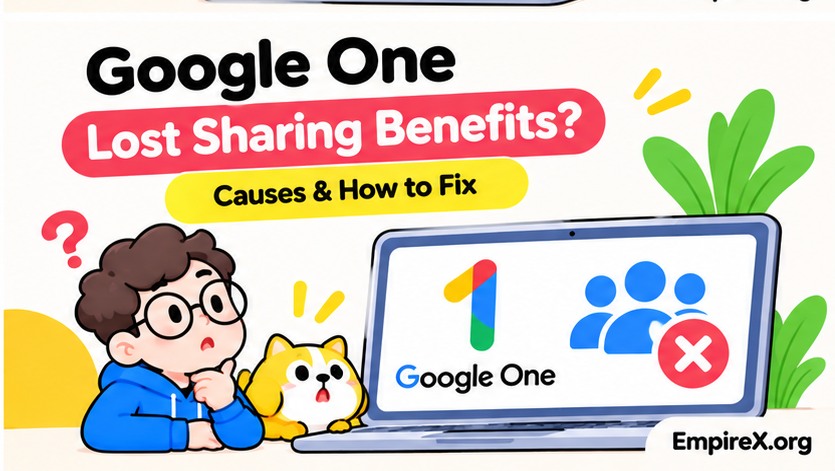
Lost Google One sharing means an account that previously received storage or benefits through a Family group no longer sees them. First distinguish leaving/removal, manager disabling sharing or subscription expiry, and an AI benefit that was never shareable. This guide covers loss after successful access, not initial eligibility. See cannot join Google Family for invitation problems.

2. Six causes worth checking

Six causes: (1) the manager switched off Google One family sharing; (2) the manager's subscription expired or changed; (3) the member left or was removed; (4) the manager deleted the family; (5) the wrong Google Account is signed in; (6) a requested AI feature or credit is not a shareable benefit. These are not all platform bugs. Google explicitly restricts sharing of some entitlements to the plan manager.

3. Identify what actually changed

Step 1: sign into the exact Google Account that received the invitation and open g.co/YourFamily. Step 2: have the manager review Google One → Settings → Manage family settings and sharing status. Step 3: verify subscription, country and storage assignment in Storage Manager. Step 4: for an absent AI capability, verify its specific plan and family-sharing rule. Redact addresses, IDs and private information from screenshots shared with support.

Google One Family sharing diagram

4. What happens to data when storage shrinks?

A decrease in your allowance does not mean Google immediately deletes your files. But exceeding storage can affect Drive uploads, Photos backups and Gmail-related operations under current policies. Restrictions and any eventual data handling depend on Google's terms; do not promise permanent protection. Review one.google.com/storage, back up important material and choose sufficient storage.

5. Restore sharing using official controls

If still in the family, ask the plan manager to check an active subscription and re-enable eligible sharing. If removed, any new invitation must meet Google's requirements. A 12-month switching restriction cannot be reliably bypassed with DNS/VPN; consult official rules. If the subscription expired, an eligible renewal or replacement plan is needed. Never share passwords or OTP codes with sellers.

6. FAQs before buying Family benefits

Still in Family but Gemini disappeared? The particular AI entitlement might not be shareable; verify the official matrix. Leaving Family affects storage? It can remove the manager's shared storage and associated benefits. What if this was purchased through EmpireX? Check expiry, variant and warranty terms, and use the stated support process. See Family guide. Official sources: Sharing, Joining/leaving, Managing.