How to buyCustomer offersContact support
EmpireX logo
Empire X
Empire X logo
Empire X
⌘K
HomeAccountsServicesPromotionsBlog
EmpireX logo
EmpireX

Reputable platform for selling premium accounts and online services.

Email:contact@empirex.org
Hotline : +84 839.8888.23 (Hotline : )
WhatsApp:+84 839.8888.23 (WhatsApp)
DMCA.com Protection Status

Products

  • Accounts
  • Services
  • Tools
  • Free Accounts
  • Track Order

Information

  • About Us
  • How to buy
  • Affiliate Program
  • Terms of Service
  • Privacy Policy
  • Copyright & DMCA
  • Official channels

Payment Methods

International:
BitcoinEthereumUSDT
Tiếng ViệtEnglishالعربيةFrançaisไทยРусскийBahasa IndonesiaPortuguês简体中文

© 2020-2026 EmpireX. All rights reserved.

Artificial Intelligence•4 min read

ChatGPT Suspicious Activity Alert: 7 Checks and Safe Fixes

Key Takeaways

Seeing a ChatGPT Suspicious Activity alert? Check seven warning signs, review active sessions, protect your login with MFA and recover access safely.

EX
Admin EmpireX
November 24, 2026
ChatGPT Suspicious Activity Alert: 7 Checks and Safe Fixes
Topics:#AI#ChatGPT#Account Security#Security Alerts
EX
Reviewed by EmpireX Editorial Team

Written and periodically verified by EmpireX specialists for practical accuracy.

About UsPolicies & ContactAccounts

Table of Contents

Related Products

ChatGPT Pro 100 - Official Personal Upgrade product image at EmpireX
-57%

ChatGPT Pro 100 - Official Personal Upgrade

$100.00$231.00
ChatGPT Business Standard - Official Personal Upgrade product image at EmpireX
-78%

ChatGPT Business Standard - Official Personal Upgrade

$17.00$77.00

Related Posts

Can ChatGPT Be Used on Multiple Devices? OpenAI Policy Explained
Artificial Intelligence

Can ChatGPT Be Used on Multiple Devices? OpenAI Policy Explained

8 min read

Can one ChatGPT account work across devices? Learn OpenAI's account-sharing policy, security alerts, session management and safe troubleshooting.

EX
Admin EmpireX
Read Now
GPT-6, Claude 5.5 and Gemini 4: Research, Writing and Coding Compared
Artificial Intelligence

GPT-6, Claude 5.5 and Gemini 4: Research, Writing and Coding Compared

2 min read

Compare GPT-6, Claude and Gemini 4 for research, writing and coding with current model versions and reproducible evaluation criteria.

EX
Admin EmpireX
Read Now
Why Does AI Coding Consume Quota So Fast? Optimize Codex, Claude Code and Antigravity
Artificial Intelligence

Why Does AI Coding Consume Quota So Fast? Optimize Codex, Claude Code and Antigravity

3 min read

Learn how context, agent loops, tool calls, retries and model choices affect AI coding quotas across three platforms.

EX
Admin EmpireX
Read Now
Claude Code vs Codex: Which Coding Agent Fits Large Projects?
Artificial Intelligence

Claude Code vs Codex: Which Coding Agent Fits Large Projects?

3 min read

Compare Claude Code and Codex for large repositories, IDEs, CLI/cloud workflows, security, context, Git, tests and usage limits.

EX
Admin EmpireX
Read Now
EmpireX logo
EmpireX

Reputable platform for selling premium accounts and online services.

Email:contact@empirex.org
Hotline : +84 839.8888.23 (Hotline : )
WhatsApp:+84 839.8888.23 (WhatsApp)
DMCA.com Protection Status

Products

  • Accounts
  • Services
  • Tools
  • Free Accounts
  • Track Order

Information

  • About Us
  • How to buy
  • Affiliate Program
  • Terms of Service
  • Privacy Policy
  • Copyright & DMCA
  • Official channels

Payment Methods

International:
BitcoinEthereumUSDT
Tiếng ViệtEnglishالعربيةFrançaisไทยРусскийBahasa IndonesiaPortuguês简体中文

© 2020-2026 EmpireX. All rights reserved.

1. What does a ChatGPT Suspicious Activity alert mean?

Quick answer: It signals potentially unusual sign-in or account activity, not an automatic ban. Open https://chatgpt.com directly, review Settings → Security → Active sessions when available, sign out unknown sessions, and secure your sign-in methods. Never share one-time codes. OpenAI's official explanation.

A Suspicious Activity notice or extra sign-in verification means OpenAI is checking activity that may be unusual. It is not automatically an account ban. Read the exact notice, date, device information and sender before taking action. Avoid unknown links and never share a password or one-time code. This guide covers account-security alerts rather than formal appeals against deactivation.

ChatGPT security warning

2. Seven situations worth checking

Seven possibilities to review: (1) an unfamiliar device; (2) a changed network or location; (3) sessions you do not recognize; (4) an unexpected verification email; (5) a mismatch in original sign-in method; (6) third-party apps or extensions behaving unusually; (7) possible exposure of credentials or API keys. These are diagnostic checks, not proven automatic triggers. Changing Wi-Fi or using a VPN does not by itself establish a violation.

Seven situations to review

3. What to do in the correct order

SituationFirst action
Alert, but you can still sign inVerify the notice and active sessions
Unrecognized device or sessionSign it out (or all sessions) and secure access
Unexpected login approval promptDeny it and secure your password if applicable
Possibly exposed API keyRevoke/rotate the key; review usage and billing
Formal suspension notificationFollow the official appeal/support process

Step 1: open ChatGPT directly and visit Settings → Security and login where available. Step 2: review security events and active sessions. Step 3: sign out unfamiliar sessions or all devices and change your password when appropriate. Step 4: enable supported multifactor authentication and review sign-in methods. Step 5: if you use the API, check keys and unexpected usage, then revoke exposed keys. Contact OpenAI Support through official channels for unresolved issues.

Five safe recovery steps

4. Warning vs login trouble vs deactivation

Important UI limitation: OpenAI documents Settings → Security → Active sessions for reviewing devices, approximate locations and sessions. It does not cover every third-party integration or Codex CLI session; organization-linked SSO accounts may not have this feature. A clean list alone cannot prove there was no compromise. OpenAI documentation.

Login problems can result from incorrect authentication methods, browser sessions, password problems or app errors. A warning is different from a suspension or deactivation notice, which should be handled through the official appeal route in the notification. Do not create replacement accounts to evade a decision. See our ChatGPT deactivation guide.

Warning versus deactivation

5. FAQs and long-term account protection

Does MFA automatically end every session? Do not assume so; separately review and end unrecognized sessions after securing your login. MFA guide.

Signed in with Google, Apple or Microsoft? Protect that identity-provider account too. Review its security settings if you suspect unauthorized access; do not assume your account uses a separate ChatGPT password.

When should you contact support? Report activity you did not authorize, unexpected API usage or persistent access trouble. Include timestamps and redacted screenshots, never passwords, one-time codes or API keys. Report unrecognized activity.

Does using multiple devices automatically trigger a warning? No such general conclusion follows; personal multi-device use is allowed subject to security rules and limits. Should you disclose OTP codes to support? Never. Protect credentials, review sessions and enable MFA when possible. Sources: OpenAI Security, Suspicious Activity, Sessions.

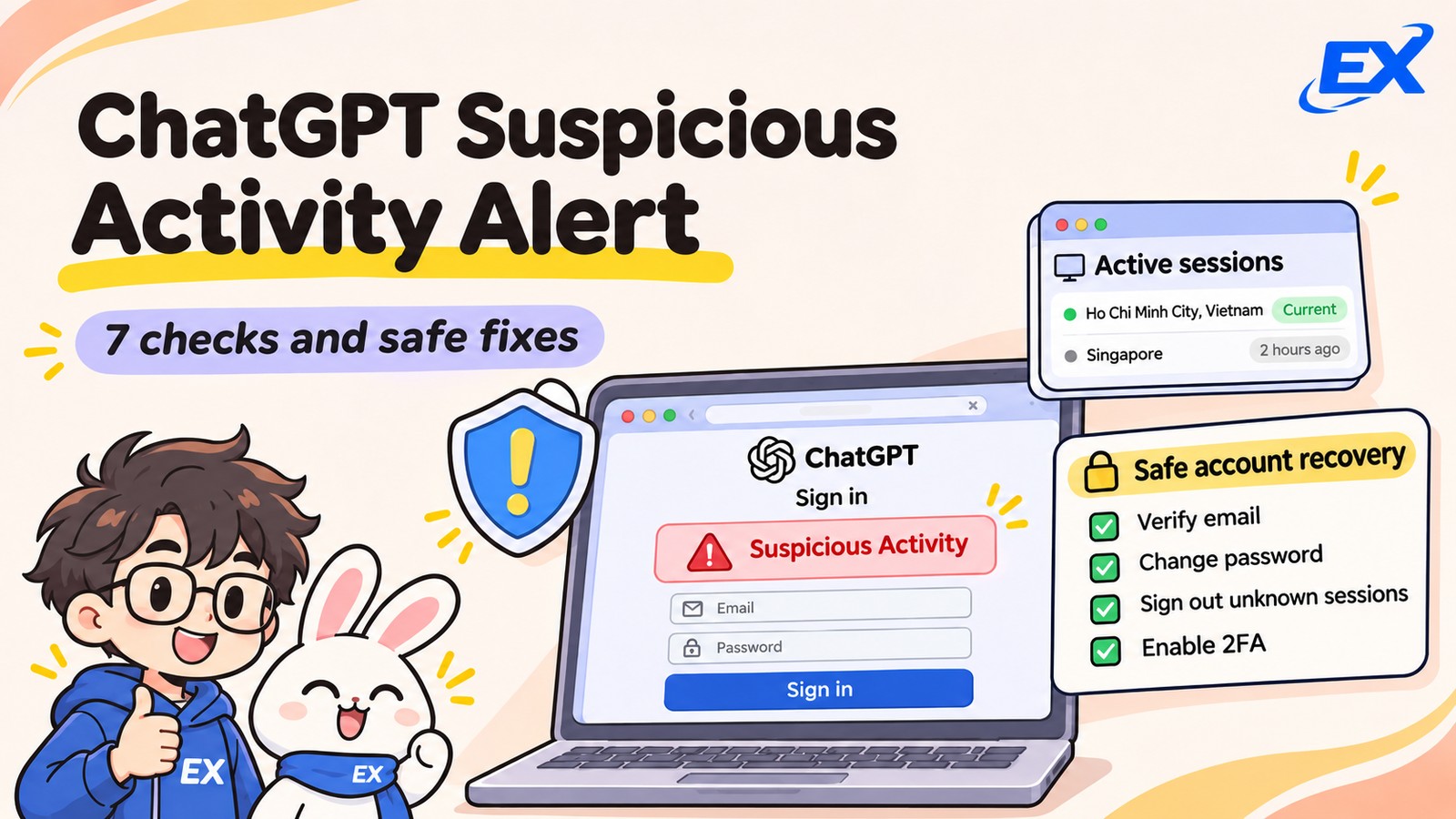
Illustration 5