What Is Antigravity Orchestrator? Which Modes Can Google AI Pro and Ultra Use?
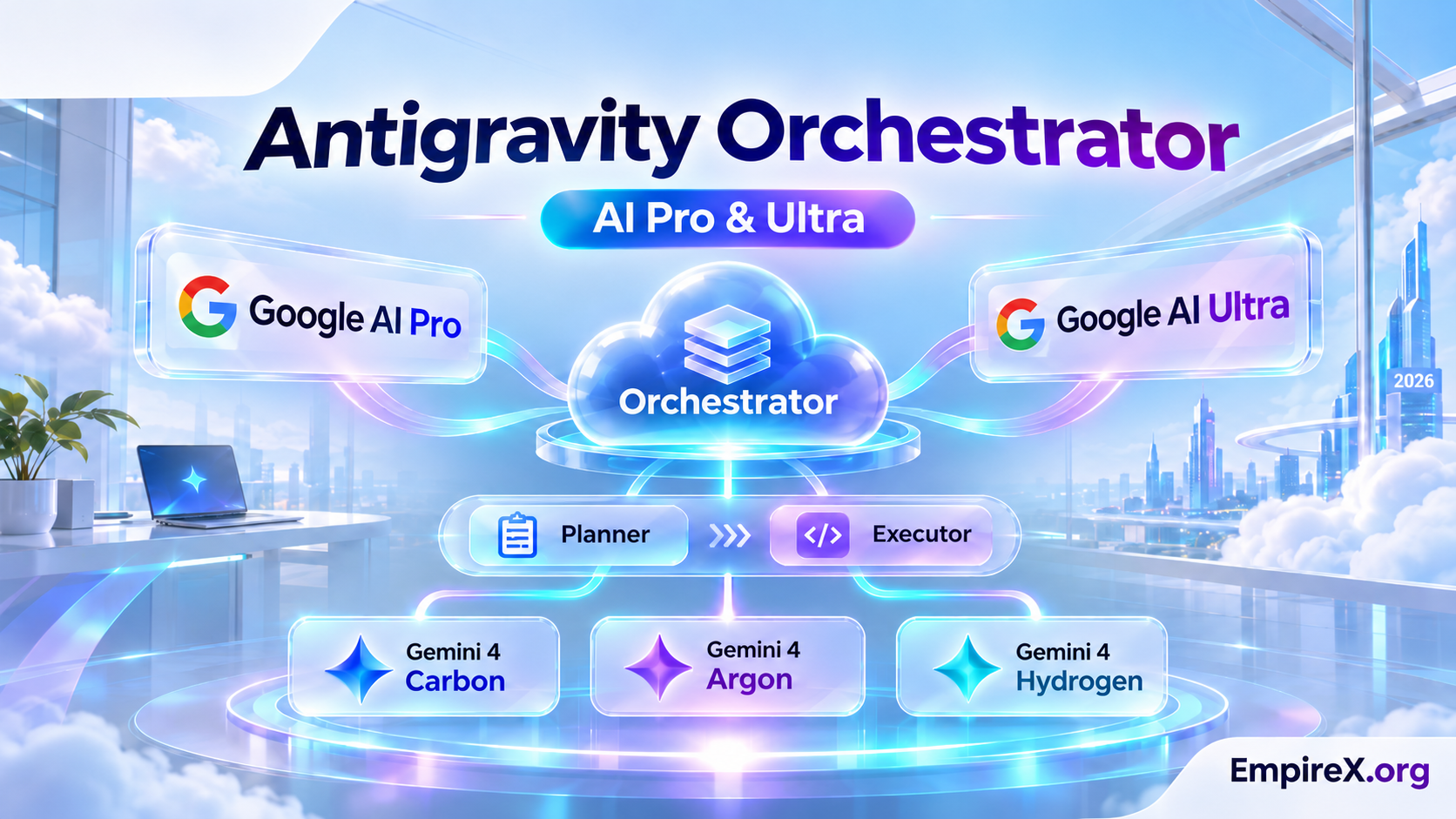
Updated November 15, 2026. Google introduced Orchestrator alongside Gemini 4 Hydrogen in Antigravity on November 12, 2026. This new model-selector option pairs a powerful reasoning model for planning with a fast model for implementation. The key distinction is simple: Google AI Pro includes Orchestrator (Argon), while Google AI Ultra includes both Orchestrator (Argon) and Orchestrator (Carbon).
1. What is Antigravity Orchestrator, and how does it work?
Antigravity Orchestrator 1
Orchestrator is not a separate AI model, nor a simple router that sends your entire prompt to one model based on an initial difficulty estimate. It coordinates two models within one conversation and one task. The planner examines the codebase, resolves ambiguities, creates an implementation plan, and defines when to re-plan. Gemini 4 Hydrogen handles implementation: editing code, updating packages, running tests, and reporting progress. If execution hits an obstacle, the planner can step back in, examine the state, and revise the approach.
The difference between the two options is the planner, not the implementation model. Orchestrator keeps one agent in the conversation; parallel agents require separate features such as Swarm or subagents. Google reports that on Terminal-Bench 4.1, Orchestrator approached Carbon's task success while using 24% less quota and completing tasks 19% faster on average. Those are benchmark results, not guaranteed savings for every project.
2. Which Orchestrator modes are available on Google AI Pro?
Antigravity Orchestrator 2
Paid Google AI Pro subscribers, and certain eligible premium-device trial accounts, can select Orchestrator (Argon) in Antigravity. It assigns deep analysis, planning, and reviews to Gemini 4 Argon while Gemini 4 Hydrogen performs code changes and implementation.
Orchestrator (Argon): included for eligible users.
Orchestrator (Carbon): not included in the published Google AI Pro entitlement.
Standalone Gemini 4 Argon and Hydrogen: selectable when the account has the relevant access.
This makes Pro suitable for routine feature development, debugging, code improvements, and work spanning multiple files. However, quotas still depend on the subscription, account, platform policies, and system load; Pro does not mean unlimited usage. If Carbon becomes visible through a separate authentication or billing method, do not confuse that access with a Pro entitlement to Orchestrator (Carbon).
3. Which Orchestrator modes are available on Google AI Ultra?
Antigravity Orchestrator 3
Google AI Ultra offers both Orchestrator choices in the model selector: Orchestrator (Carbon) and Orchestrator (Argon). Carbon uses Gemini 4 Carbon as the planner for tasks requiring deeper investigation; Argon uses Gemini 4 Argon as planner for a more balanced workflow. Both use Hydrogen for execution.
Orchestrator (Carbon): available on Google AI Ultra.
Orchestrator (Argon): available on Google AI Ultra.
Standalone Gemini 4 Carbon, Argon, and Hydrogen: users may select these directly where their account permits.
Usage limits: Ultra has higher Antigravity limits than Pro, but is not unlimited. Google's published Ultra 5x and Ultra 20x levels have different allowances.
For large projects that require careful planning and repeated checks, Orchestrator (Carbon) is worth considering. If you favor speed and efficient quota use for frequent work, Orchestrator (Argon) may fit better. Ultra does not mean every task needs Carbon.
4. When should you use Orchestrator, Carbon, Argon, or Hydrogen?
Antigravity Orchestrator 4
Orchestrator is a useful default for feature development, debugging, refactoring, and multi-file edits: the planner develops and reviews the plan while Hydrogen carries out coding steps quickly. Select standalone Carbon or Argon when every intermediate step requires maximum reasoning depth, such as designing complex distributed systems, diagnosing subtle race conditions, or performing multi-repository migrations. Select standalone Hydrogen for well-defined lightweight work: updating dependencies, adding unit tests, scaffolding boilerplate, or revising documentation.
In short, Orchestrator optimizes collaboration rather than guaranteeing that every response will outperform a standalone model. If planning is unnecessary, standalone Hydrogen may be simpler and more economical; if every step demands deep reasoning, standalone Carbon or Argon lets you set its thinking level directly.
5. How to select Orchestrator and conclusion
How to enable it: Open Google Antigravity, sign in with an eligible account, update the app, and click the model selector beneath the prompt box. Choose Orchestrator (Argon) or Orchestrator (Carbon) according to your plan and the options displayed, then enter your coding task normally. The chosen option remains active throughout the conversation until changed. Antigravity also documents selection in its CLI.
Conclusion: Eligible Google AI Pro users can use Orchestrator (Argon), while Google AI Ultra users can choose both Argon and Carbon. The main distinction is the planner model; Hydrogen executes the implementation. Check real-world quotas before lengthy sessions and always review code and test outcomes before deploying to production.